
API/videos
POST
/v1/videos
Video generation runs asynchronously: create a job, poll its status by id, then download the MP4 when it completes.
- POST
https://api.framewharf.com/v1/videos- Authentication
Authorization: Bearer sk-your_api_key
To generate and edit video with Gemini Omni, use POST /v1/interactions.
POST /v1/videos takes model, prompt and seconds (1–15, default 8). A size (1280x720) value sets resolution and aspect ratio together, or you can set each one separately: resolution via extra_body.resolution: 480p (default), 720p or 1080p; aspect ratio via extra_body.aspect_ratio (16:9 default, 1:1, 9:16…).
curl "https://api.framewharf.com/v1/videos" \
  -H "Authorization: Bearer sk-your_api_key" \
  -H "Content-Type: application/json" \
  -d '{
    "model": "grok-imagine-video-1.5-lite",
    "prompt": "Waves crashing on a rocky shore at sunset",
    "seconds": "6",
    "extra_body": { "resolution": "720p" }
}'The request returns a job immediately — keep the id to poll its status:
Response
{
  "id": "video_bGl0ZWxsbTpjdXN0b21fbGxt...",
  "object": "video",
  "status": "queued",
  "model": "grok-imagine-video-1.5-lite",
  "seconds": "6",
  "size": "720p"
}Every video below was generated by this endpoint, one job each, alongside the prompt that produced it.
To animate an image you already have (image to video), add an image field holding a public URL or a base64 data URL; with an image, the prompt is optional:
Image to video
{
  "model": "grok-imagine-video-1.5-lite",
  "prompt": "Let the boat in the picture drift slowly toward the horizon",
  "seconds": "6",
  "image": { "url": "data:image/jpeg;base64,/9j/4AAQSkZJRg..." }
}Drag the slider: the still image sent in is on the left, the video one request made from it on the right.
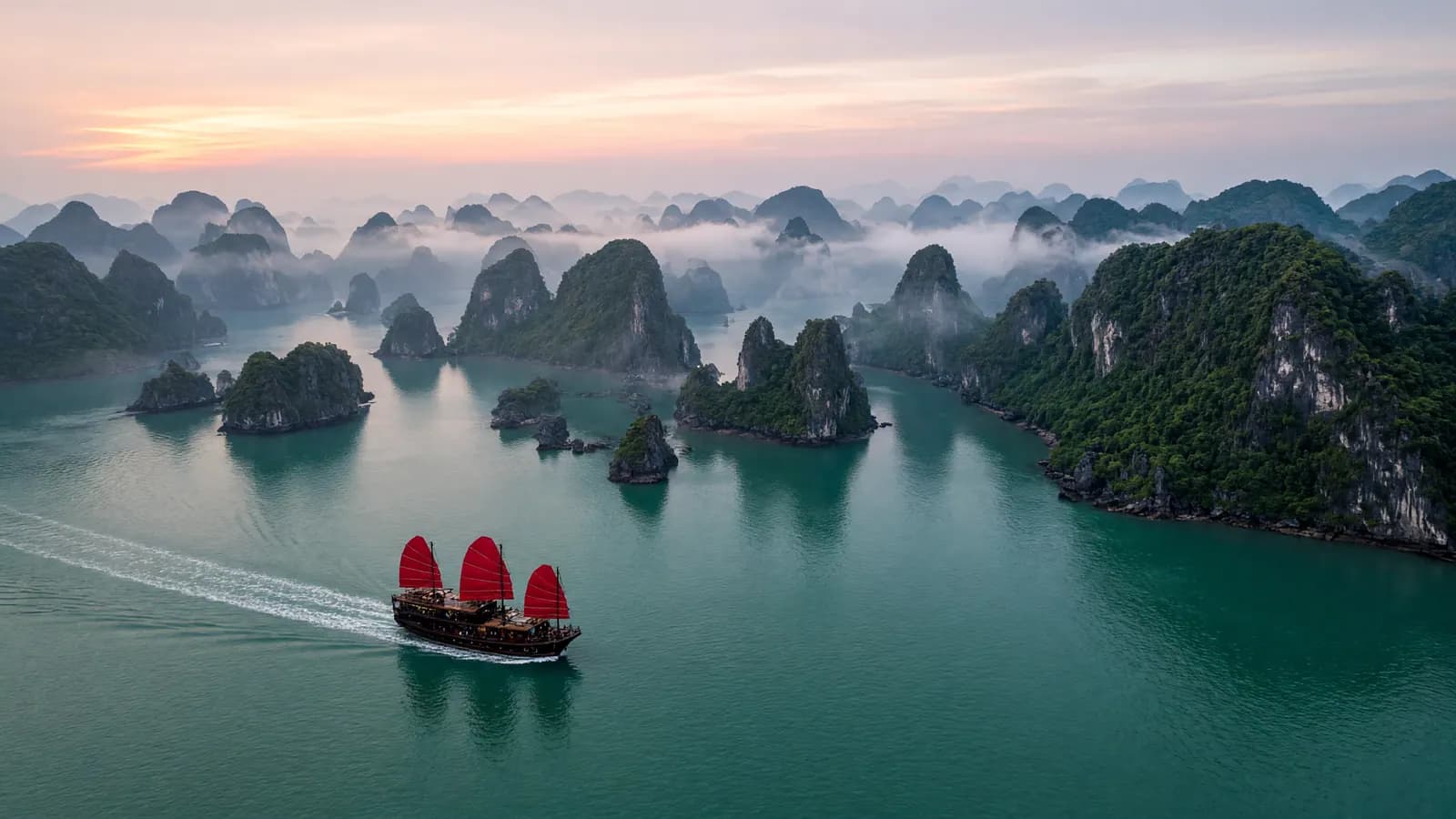
Several images can steer one clip instead of pinning the first frame: extra_body.reference_images takes a list, referred to in the prompt as <IMAGE_0> in the order you send them, while extra_body.last_frame pins the final frame.
Reference images to video
{
  "model": "grok-imagine-video-1.5-lite",
  "prompt": "The character in <IMAGE_0> walks across the room in <IMAGE_1>",
  "seconds": "6",
  "extra_body": {
    "reference_images": [
      { "url": "https://example.com/character.jpg" },
      { "url": "https://example.com/room.jpg" }
    ],
    "last_frame": { "url": "https://example.com/final-shot.jpg" }
  }
}To pin frames inside the clip as well, send extra_body.keyframes — up to four images, each with a timestamp in seconds, strictly inside the clip. To have a character speak in a preset voice, send extra_body.reference_audios — up to three voices, referred to in the prompt as <AUDIO_0> in the order you send them.
Mid-clip keyframes and voice
{
  "model": "grok-imagine-video-1.5-lite",
  "prompt": "A tree through the four seasons, <AUDIO_0> whispers: spring is here",
  "seconds": "8",
  "image": { "url": "https://example.com/start.jpg" },
  "extra_body": {
    "resolution": "720p",
    "keyframes": [
      { "image_url": "https://example.com/middle.jpg", "timestamp": 4 }
    ],
    "last_frame": { "url": "https://example.com/end.jpg" },
    "reference_audios": [{ "voice_id": "eve" }]
  }
}Clips steered by reference images, pinned frames or reference voices top out at 720p. These are features of newer models; a model that doesn't support a feature, or a request carrying an undocumented field, is rejected with a clear message instead of being ignored.
Call GET /v1/videos/{id} every few seconds until the job leaves the processing states. A video usually finishes in tens of seconds to a few minutes, depending on length and resolution.
cURL
curl "https://api.framewharf.com/v1/videos/video_bGl0ZWxsbTpjdXN0b21fbGxt..." \
-H "Authorization: Bearer sk-your_api_key"- queued
- The job was accepted and is waiting to run.
- in_progress
- Generating — track progress in progress (0–100).
- completed
- Done — download the file from /content.
- failed
- Failed — details are in error.code and error.message.
When status is completed, download the MP4 from GET /v1/videos/{id}/content. The request redirects to a temporary download link, valid for about 30 minutes (also returned in the response's url field), so your client must follow redirects. Download and store the file on your side as soon as the job completes — old jobs expire and cannot be downloaded again.
curl -L "https://api.framewharf.com/v1/videos/video_bGl0ZWxsbTpjdXN0b21fbGxt.../content" \
  -H "Authorization: Bearer sk-your_api_key" \
-o video.mp4POST /v1/videos/edits takes the video.id of a completed job and a prompt describing the change; the rest of the scene is kept.
cURL
curl "https://api.framewharf.com/v1/videos/edits" \
  -H "Authorization: Bearer sk-your_api_key" \
  -H "Content-Type: application/json" \
  -d '{
    "video": { "id": "video_bGl0ZWxsbTpjdXN0b21fbGxt..." },
    "prompt": "Turn the daytime scene into night under streetlights"
}'An edit takes no duration or resolution: the result inherits both from the source video — up to 720p and up to 8.7 seconds — and you get a new job id to poll and download exactly like a newly created job. Only videos made with the model listed below can be edited.
- Model
- grok-imagine-video
- Billing
- The length of the returned video — the source length, up to 8.7 seconds — times the per-second rate of the output resolution, plus a small fixed fee for the source video.
POST /v1/videos/extensions extends a finished video from its last frame; seconds (2–10, default 6) is the length of the new part, not of the result.
cURL
curl "https://api.framewharf.com/v1/videos/extensions" \
  -H "Authorization: Bearer sk-your_api_key" \
  -H "Content-Type: application/json" \
  -d '{
    "video": { "id": "video_bGl0ZWxsbTpjdXN0b21fbGxt..." },
    "prompt": "The camera keeps pulling back and the boat sails out of frame",
    "seconds": "6"
}'grok-imagine-video-1.5
The returned id can itself be extended or edited, so a long sequence is built one segment at a time. Only videos made with the model listed below can be edited or extended.
- Model
- grok-imagine-video
- Billing
- The added seconds times the per-second rate of the source resolution (up to 720p, like the result), plus a small fixed fee for the source video.
seedance-2.5 uses the same create, poll and download steps above, with its own parameters: prompt is required; seconds runs from 4 to 30 (default 5), or -1 to let the model choose the length; resolution 480p, 720p (default) or 1080p; aspect_ratio 16:9 (default), 4:3, 1:1, 3:4, 9:16, 21:9 or adaptive (the model chooses the ratio); generate_audio (on by default, generating sound) and seed.
To open and close the clip on your own pictures, send image as the first frame and, optionally, last_frame as the last — a public URL or a JPEG/PNG/WebP data URL. With a first frame the aspect ratio follows the picture, so leave out aspect_ratio. With return_last_frame, a completed job's status also carries a temporary link to the video's final frame, in last_frame_url.
First and last frame
{
  "model": "seedance-2.5",
  "prompt": "The camera glides across the room and stops at the window",
  "seconds": "5",
  "image": { "url": "https://example.com/start.jpg" },
  "extra_body": {
    "resolution": "720p",
    "last_frame": { "url": "https://example.com/end.jpg" },
    "return_last_frame": true
  }
}Instead of frames, you can steer the clip with references: reference_images (up to 30 images), reference_videos (up to 10 videos by URL, 30 seconds in total) and reference_audios (up to 10 MP3/WAV files, by URL or data URL). Refer to them in the prompt in the order you send them; audio can come alone. Frames and references don't share a request.
Image, video and audio references
{
  "model": "seedance-2.5",
  "prompt": "The person in the picture dances the moves of the reference video to the beat of the track",
  "seconds": "8",
  "extra_body": {
    "resolution": "720p",
    "aspect_ratio": "9:16",
    "reference_images": [{ "url": "https://example.com/dancer.jpg" }],
    "reference_videos": [{ "url": "https://example.com/moves.mp4" }],
    "reference_audios": [{ "url": "https://example.com/beat.mp3" }]
  }
}When the prompt asks to change the reference video itself (restyle it, swap an object…), the model keeps that video's ratio and length — send aspect_ratio: "adaptive" and seconds: -1, or the job fails and the credit is refunded. The source video runs 4 to 30 seconds.
Edit a reference video
{
  "model": "seedance-2.5",
  "prompt": "Repaint the whole scene of the video as a watercolor",
  "seconds": -1,
  "extra_body": {
    "resolution": "720p",
    "aspect_ratio": "adaptive",
    "reference_videos": [{ "url": "https://example.com/clip.mp4" }]
  }
}- Billing
- Per video token: (24 × seconds + 1) × width × height ÷ 1024 tokens, times the token rate of the resolution. A 5-second 720p 16:9 clip is 108,900 tokens. Failed jobs are refunded in full.
- What isn't known up front
- Is billed at its ceiling with no refund of the difference: an adaptive ratio or a first frame at the largest frame of the resolution, seconds -1 at 30 seconds, and reference video adds 30.2 seconds of input at the video-input token rate.
Credit is deducted when the job is created: the requested seconds times the per-second rate for that resolution. Video models are enabled per API key — GET /v1/models with your key lists exactly the models you can call; message Framewharf if you need more access.
- seedance-2.5
- 480p $0.19 (4,815 VND) / 1M tokens (≈ $0.0018 (46 VND) / second) · 720p $0.19 (4,815 VND) / 1M tokens (≈ $0.004 (104 VND) / second) · 1080p $0.20 (5,265 VND) / 1M tokens (≈ $0.0099 (256 VND) / second)
- seedance-2.0-fast
- 480p $0.10 (2,520 VND) / 1M tokens (≈ $0.00094 (24 VND) / second) · 720p $0.10 (2,520 VND) / 1M tokens (≈ $0.0021 (54 VND) / second)
- seedance-2.0
- 480p $0.12 (3,150 VND) / 1M tokens (≈ $0.0012 (30 VND) / second) · 720p $0.12 (3,150 VND) / 1M tokens (≈ $0.0026 (68 VND) / second) · 1080p $0.13 (3,465 VND) / 1M tokens (≈ $0.0065 (168 VND) / second) · 4k $0.07 (1,800 VND) / 1M tokens
- minimax-h3
- 2k $0.0023 (59 VND) · 768p $0.0014 (36 VND) / second
- grok-imagine-video-1.5-lite
- 1080p $0.0024 (63 VND) · 480p $0.00035 (9 VND) · 720p $0.00052 (14 VND) / second
- grok-imagine-video-1.5
- 1080p $0.0044 (113 VND) · 480p $0.0014 (36 VND) · 720p $0.0024 (63 VND) / second
- grok-imagine-video
- 480p $0.00087 (23 VND) · 720p $0.0012 (32 VND) / second